Features
Documentation That
Builds Itself
Capture your screen, press a hotkey at the right moment, and Docfai turns it into a polished step-by-step guide. No cloud. No AI guesswork. Just your workflow, documented.
Capture the exact moment — every time
Hotkey Screenshot Capture
Press a customizable hotkey during screen recording to capture screenshots at the exact moments that matter. No more scrubbing through footage or retaking screenshots. You stay in control of what gets documented.
- Customizable hotkey binding
- Captures during live recording
- Pixel-perfect screenshots
From raw captures to polished documentation
Step-by-Step Editor
Turn screenshots and video frames into structured steps. Add titles, descriptions, bookmarks, and external media using the built-in editor. Reorder steps with drag-and-drop. Your documentation writes itself.
- Drag-and-drop step ordering
- Rich text descriptions
- Bookmarks & annotations
Enrich steps with any visual content
Drag & Drop Media
Drag videos and screenshots directly from your computer into any step — no complex import process needed. External media integrates instantly, making it easy to create visually rich guides that clearly communicate your process.
- Drop files from desktop
- Videos & images supported
- Instant integration
See templates before you commit
Live Template Preview
Browse and select SOP templates, documentation formats, and document structures with real-time previews directly in the editor. See exactly what each template looks like before applying it.
- Real-time preview
- SOP & doc templates
- One-click apply
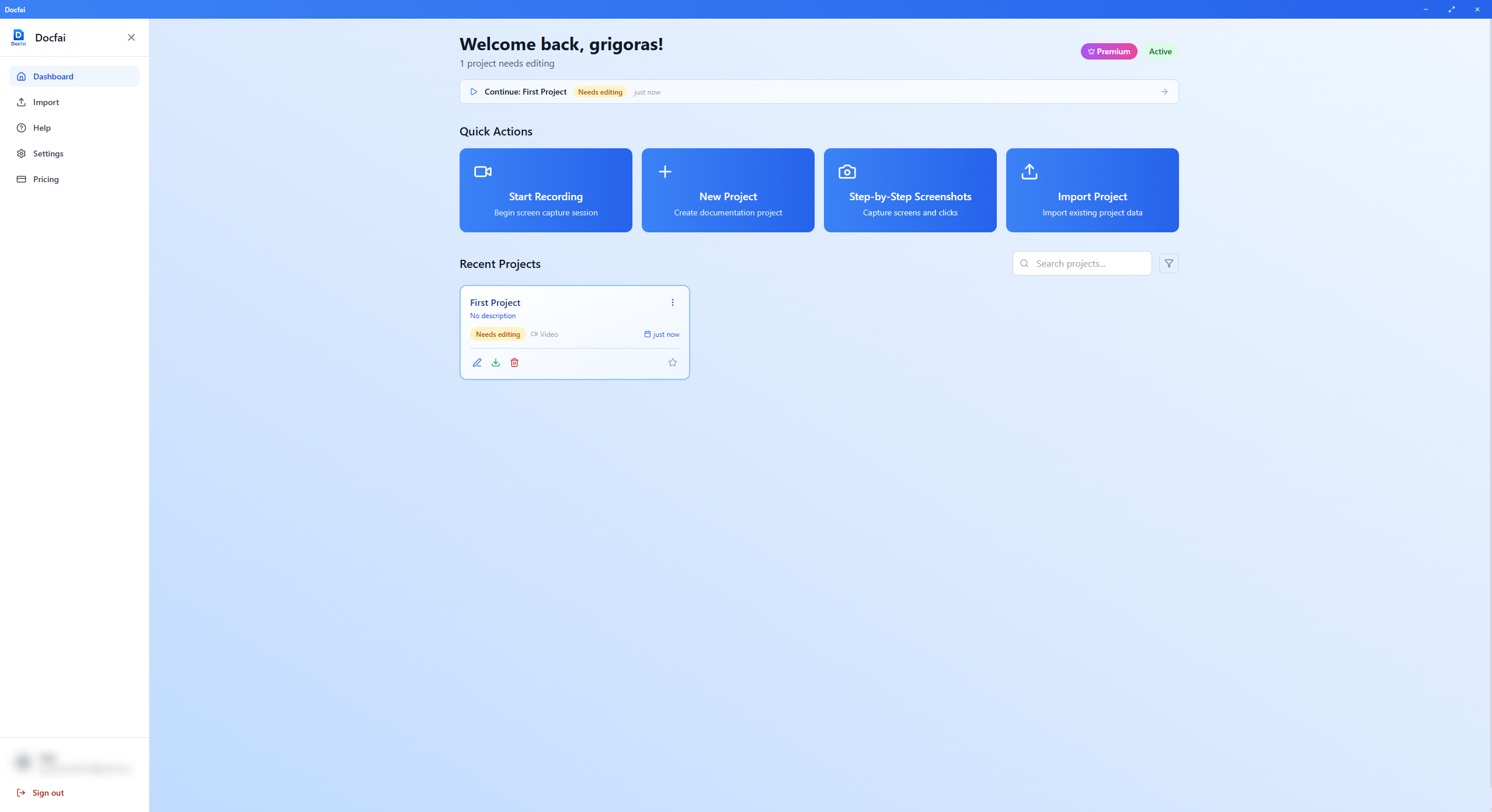
Your data never leaves your device
Privacy-First Local Processing
All capture, editing, and export happens entirely on your computer. Your screenshots, videos, and documentation are never uploaded to any server. Complete privacy, zero cloud dependency.
- 100% offline capable
- No data uploaded
- No cloud dependency
Visualize processes alongside your steps
Workflow Diagrams
Create flowcharts, sequence diagrams, and visual workflows to complement your step-by-step documentation. Give your readers both the high-level view and the detailed walkthrough.
- Flowcharts & sequences
- Embeds in exports
Record, capture, or import — your choice
Guided Screen Capture
Record your screen, take manual screenshots as you work, or upload existing videos to extract frames. Choose full screen, window, or custom area capture. Docfai adapts to your workflow.
- Screen recording
- Manual screenshot mode
- Video frame extraction
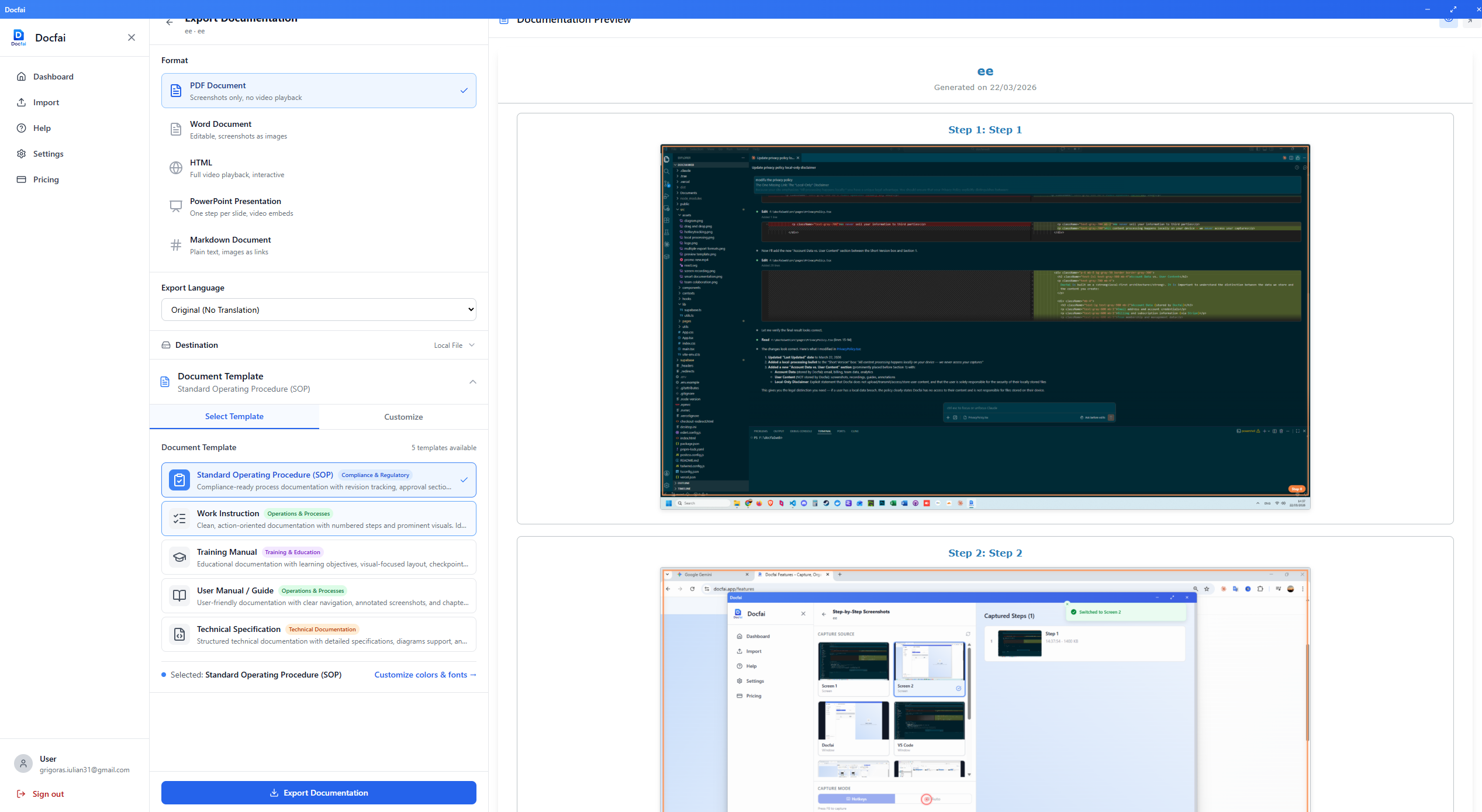
One guide, every format your team needs
Flexible Exports
Export your documentation as HTML, PDF, PowerPoint, Word, or Markdown — including screenshots and embedded video. Built-in local translation to multiple languages.
- 5 export formats
- Embedded video for HTML and PPTX
- Local translation
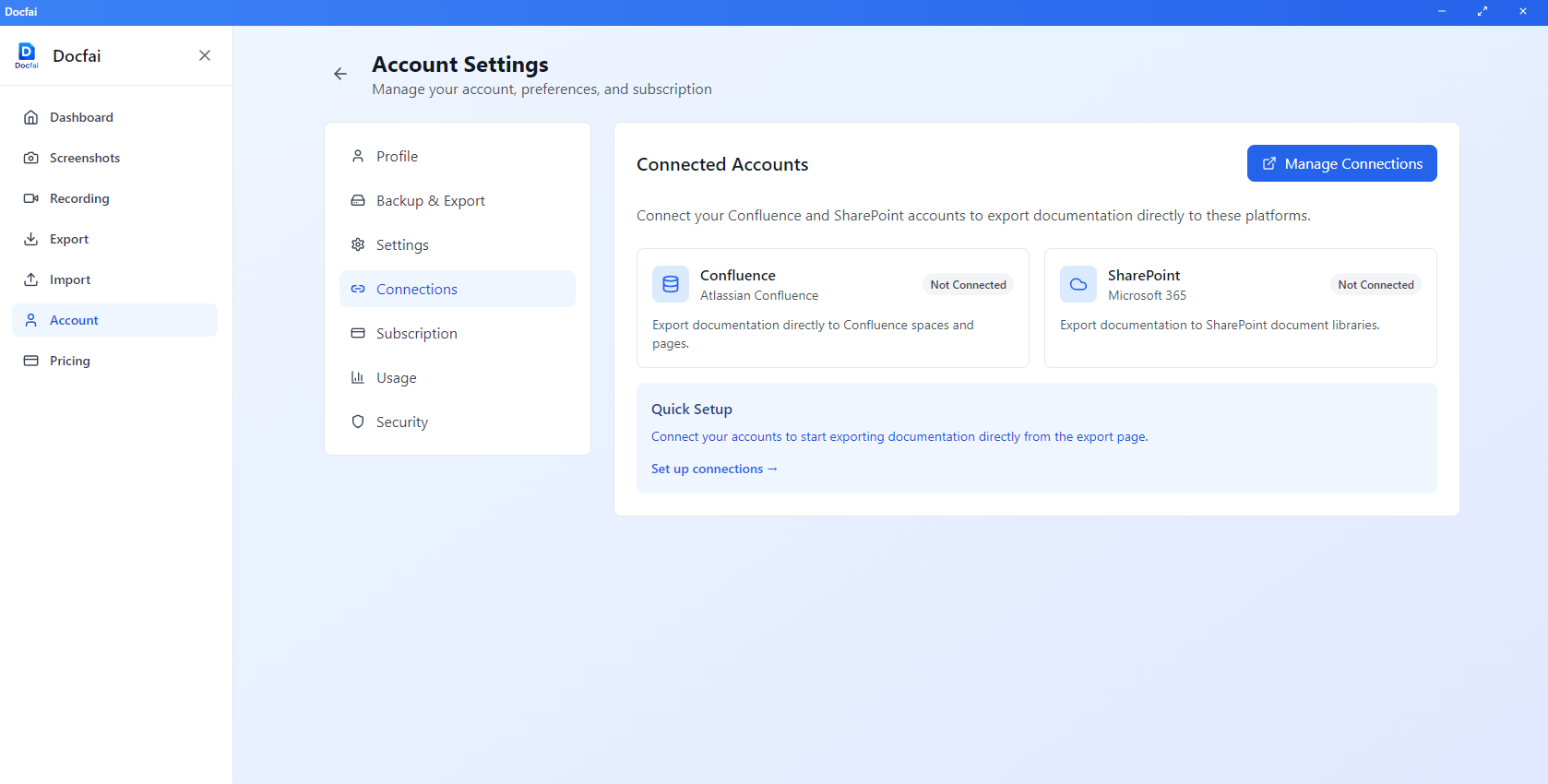
Publish where your team already works
Share to Confluence & SharePoint
Export and publish your documentation directly to Confluence and SharePoint. Keep your team's knowledge base up to date without manual copy-pasting between tools.
- Direct Confluence export
- SharePoint integration
- No copy-paste needed
For Teams & Companies
A Portal to Manage Your Whole Team
Assign seats, manage billing, and track usage from one admin dashboard — built for companies rolling out Docfai across their teams.
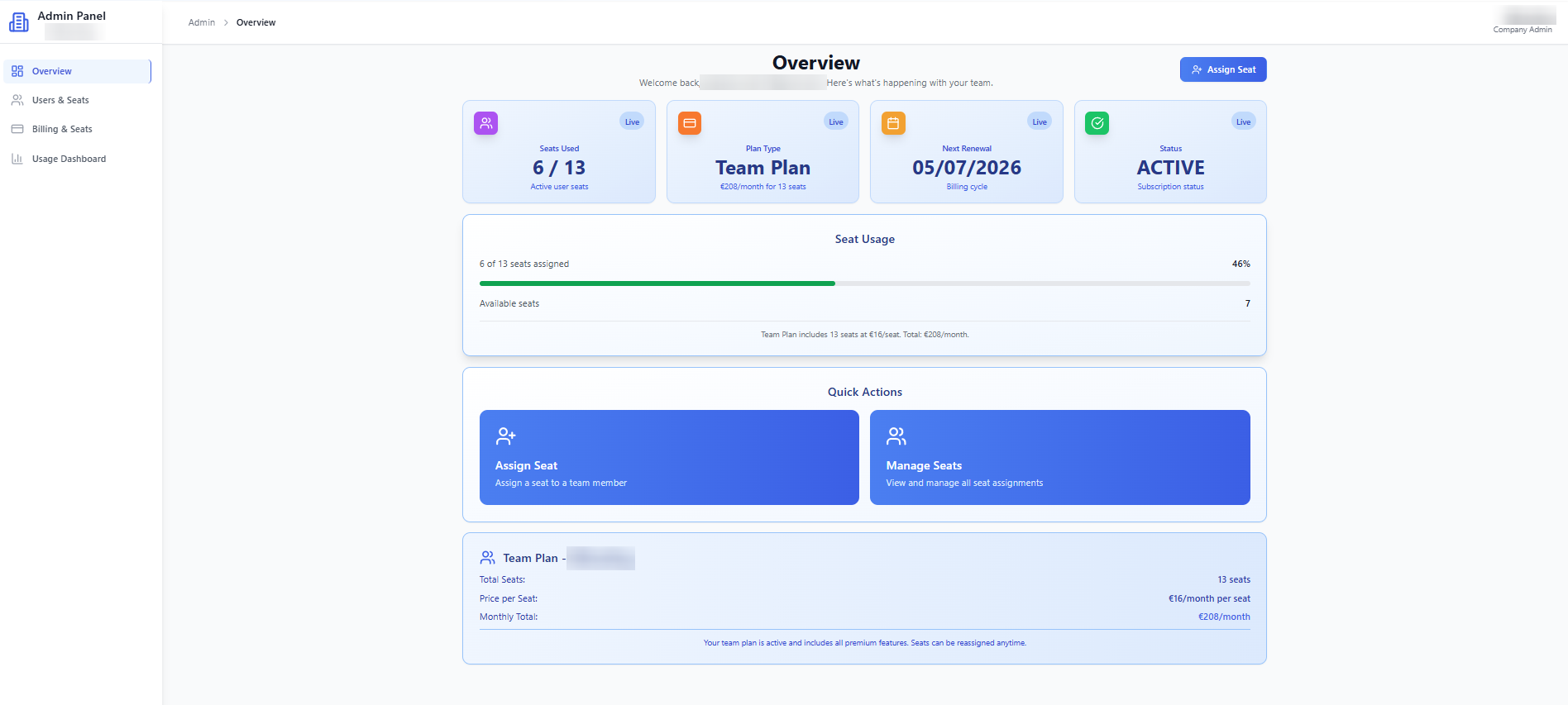
Overview
Team at a glance
See your whole team's setup in one place — plan, seat usage, and activity — the moment an admin signs in.
Comparison
How Docfai Stacks Up
See exactly where Docfai outperforms Scribe, Loom, and Snagit — feature by feature.
| Feature | Docfai | Scribe | Loom | Snagit |
|---|---|---|---|---|
| Screen Recording + Hotkey Capture | Built-in recording with hotkey screenshot capture during recording | Auto-captures clicks only — no manual control, no hotkey capture | Video only — no step-by-step documentation output | Screenshots OR recording — not combined with hotkey capture |
| Step-by-Step Editor | Full editor with drag-and-drop, bookmarks, rich text, media embedding | Auto-generated steps with limited editing | No step editor — video only with comments | Basic image annotation — no step structure |
| Privacy & Local Processing | 100% local — nothing leaves your device | Cloud-based — all data processed on their servers | Cloud-based — videos stored on Loom servers | Local capture — but cloud sharing via Screencast |
| Export Formats | PDF, Word, PowerPoint, HTML, Markdown, Confluence, SharePoint | PDF, Confluence (Pro plans only) | No document export — video links only | PNG, GIF, MP4 — no document formats |
| Template System | Live preview templates for SOPs, guides, and docs | Basic templates (Pro only) | No templates | Image templates only |
| Drag & Drop Media | Drop videos, images, screenshots directly into any step | Limited — auto-captured screenshots only | No document steps to add media to | Paste into editor — no step-based workflow |
| Workflow Diagrams | Built-in flowcharts, sequence diagrams, Mermaid support | Not available | Not available | Basic shapes — no diagram engine |
| Pricing | From €16/Month — all features included | Free (limited) / $23+/month for Pro | Free (limited) / $12.50+/month | $62.99 one-time (capture only) |
7+
Export Formats
100%
Local Processing
0
Data Uploaded
7 days
Free Trial
Frequently Asked Questions
Stop Rebuilding Docs From Memory
Capture it once, document it perfectly. Start your free trial — no credit card, no cloud uploads, no strings.
We use only essential cookies and browser storage needed to keep you signed in, secure sign-in, and process payments. We don't use advertising or tracking cookies. See our Privacy Policy for details.